أنت في منتصف العرض التوضيحي. العميل المحتمل يومئ برأسه موافقاً، ثم يقول: "يبدو أن هناك الكثير من الأمور التي تحدث. موظف الاستقبال الخاص بي يحتاج فقط إلى رؤية ثلاثة أشياء."
ربما تسببت هذه الجملة وحدها في خسارة صفقات برامج إدارة الأساطيل أكثر من أي ميزة مفقودة. وهي تحديدًا الاعتراض الذي أُعيد تصميم منصة Trakzee من Uffizio للرد عليه، بلوحة تحكم يمكن لكل مستخدم تخصيصها وفقًا لعمله. دعونا نتحدث عن سبب ظهور هذا الاعتراض، وكيفية تحويله إلى عرض توضيحي ناجح مدته خمس دقائق.
هل أنت جديد هنا؟ ابدأ بالدليل الكامل لإدارة أسطول المركبات الكهربائية قبل هذا الدليل.
الشكوى التي تسمعها في كل عرض توضيحي تقريبًا
يميل برنامج إدارة الأساطيل إلى إضافة المزيد من الميزات كل عام. وهذا أمر جيد لما يمكن أن يفعله، ولكنه سيء من ناحية المظهر في اليوم الأول، عندما يفتحه مستخدم جديد ويرى كل شيء دفعة واحدة.
إليكم الأمر: نادراً ما يحتاج موظف التوزيع، والمسؤول المالي، ومدير العمليات في نفس الشركة إلى نفس الشاشة. لكن معظم المنصات توفر لهم واحدة على أي حال.
يظهر هذا التناقض في صورة نفس الاعتراض، ولكن بصياغة مختلفة في كل مرة:
- "هناك الكثير من الأشياء على شاشة واحدة."
- "أنا أهتم بثلاثة فقط من هذه الأدوات العشر."
- "يستمر فريقي في مطالبة قسم تكنولوجيا المعلومات بإخفاء الأشياء التي لا يستخدمونها."
لا يتعلق أي من هذه الأمور بالميزات بحد ذاتها، بل بحقيقة أن شاشة واحدة تحاول أداء خمس وظائف مختلفة. هذه هي الفجوة التي سعت شركة Uffizio إلى سدّها من خلال Trakzee، منصتها لإدارة الأساطيل ذات العلامة التجارية الخاصة، والمصممة خصيصًا للموزعين ومكاملين الأنظمة.
كيف تُصلح لوحات تحكم Trakzee من Uffizio هذه المشكلة؟
الحل ليس في تقليل الميزات، بل في السماح لكل شخص بإنشاء العرض الذي يناسب وظيفته، ثم حفظه.
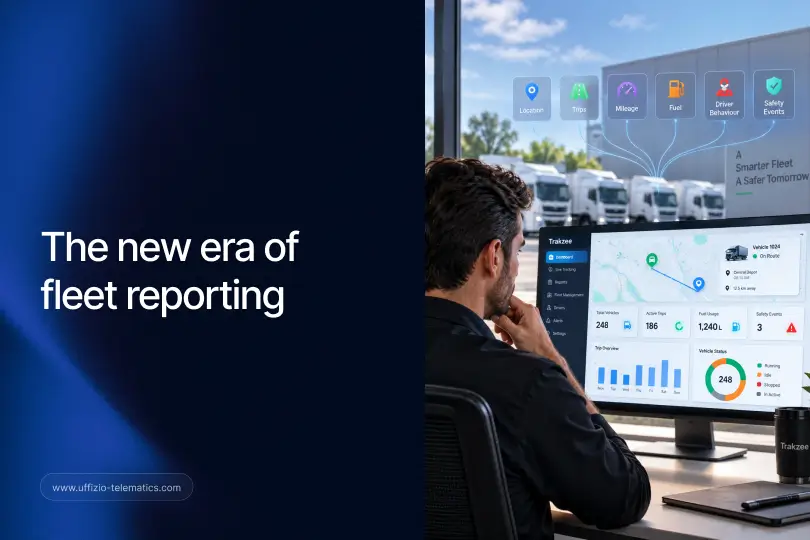
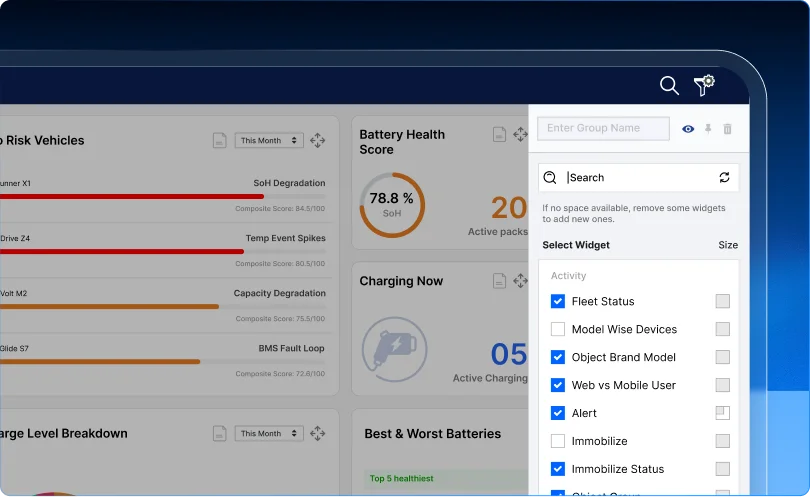
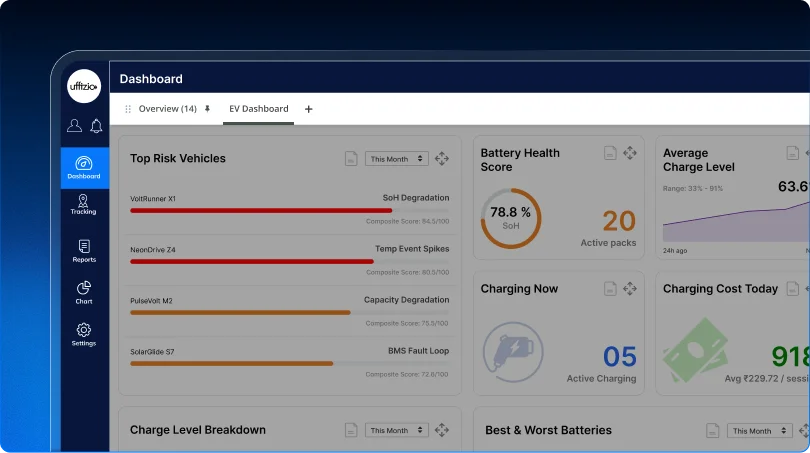
هذا بالضبط ما يفعله تخصيص لوحة التحكم في Trakzee، والذي تم إصداره كجزء من تحديث منصة Uffizio في أغسطس 2026:
- ما يصل إلى 6 علامات تبويب شخصية في لوحة التحكم، كل منها يحمل الاسم الذي يناسب المستخدم - "الفحص الصباحي"، "تكاليف الوقود"، "أسطول السيارات الكهربائية"، أو أي شيء آخر.
- أعيد ترتيبها كما يحلو لهملذلك، تظهر علامة التبويب الأكثر استخدامًا في البداية.
- علامة تبويب افتراضية يفتح ذلك تلقائيًا، لذلك لا يضطر أحد إلى النقر للوصول إلى ما يهم.
- الإعدادات التي يتم نقلهالذلك، لن تتم إعادة ضبط التخطيط المحفوظ في المرة القادمة التي يقوم فيها شخص ما بتسجيل الدخول.
- تخصيص التقارير الذي يعمل بنفس الطريقة — تتيح تقارير الرحلات والسفر للمستخدمين اختيار الأعمدة التي تظهر، وتغيير حجمها، وحفظ هذا الإعداد لاستخدامه في المرة القادمة.
ببساطة: يحصل موظف التوزيع على شاشة خاصة به، ويحصل مسؤول الشؤون المالية على شاشة لعرض التكاليف. لن يضطر أحد إلى البحث بين تسع شاشات لا يستخدمها للعثور على الشاشة التي يحتاجها.
Curious what else your customers are asking for? Take a look at 12 EV fleet software features they keep bringing up.
لماذا يُعد هذا الأمر أكثر أهمية بالنسبة للأسطول الأكبر؟
قد يكفي أسطول مكون من خمس مركبات رؤية مشتركة واحدة. أما أسطول مكون من خمسين مركبة، وثلاثة مستودعات، وفرق منفصلة للإرسال والصيانة والفواتير، فلا يمكنه ذلك.
تميل الأساطيل الكبيرة أيضًا إلى وجود حسابات فرعية - حسابات مُنشأة ضمن حساب الشركة الرئيسي لأدوار أو فروع محددة. وتُحفظ إعدادات لوحة التحكم لهؤلاء المستخدمين الفرعيين أيضًا، بحيث لا يبدأ الموظف الجديد من شاشة فارغة ومزدحمة، بل يرث تصميمًا مناسبًا لدوره.
كلما زاد حجم الأسطول، زاد عدد الأشخاص الذين يفتحون لوحة التحكم هذه كل يوم - وزادت تكلفة لوحة التحكم المزدحمة من حيث الوقت الضائع وتذاكر الدعم التي تسأل "أين أجد X؟". وهنا تبرز فائدة إعداد لوحة التحكم لكل دور ولكل مستخدم في Trakzee، حيث قامت Uffizio ببنائها مع وضع هذا النوع من الأسطول متعدد الفرق والفروع في الاعتبار.
بمجرد ضبط لوحة معلومات شخص ما، يكون السؤال التالي عادةً هو "ما الخطأ الآخر الذي لا أراه؟" هذا ما تم تصميم تحليل اتجاه التنبيه للإجابة عليه.
الخلاصة
لا يقتصر الأمر على أن لوحة التحكم المزدحمة تبدو فوضوية، بل إنها سبب حقيقي لتعثر الصفقات أو التشكيك في تجديدها. وقد صممت شركة Uffizio خاصية تخصيص لوحة التحكم في Trakzee خصيصًا لإزالة هذا الاعتراض، مما يسمح لكل شخص بإنشاء عرضه الخاص وجعله ثابتًا.

التعليمات
كم عدد علامات التبويب في لوحة التحكم التي يمكن للمستخدم إنشاؤها؟
ما يصل إلى ست علامات تبويب شخصية، كل منها مسمى ومرتب حسب تفضيل المستخدم.
هل يعمل هذا مع طرق عرض التقارير أيضًا، وليس فقط مع لوحة المعلومات؟
نعم. تتيح تقارير الرحلات والسفر للمستخدمين اختيار الأعمدة التي تظهر، وتغيير حجمها، وحفظ هذا الإعداد لعمليات تسجيل الدخول المستقبلية.
ماذا يحدث لإعدادات لوحة التحكم عند انضمام عضو جديد إلى الفريق؟
يمكن لحسابات المستخدمين الفرعيين أن ترث تخطيط لوحة التحكم الموجودة، حتى لا يبدأ أعضاء الفريق الجدد من شاشة فارغة أو مكتظة.
هل هذا مفيد فقط للأسطول الكبير؟
فهو يساعد أي أسطول يضم أكثر من نوع واحد من المستخدمين - حتى الفريق الصغير الذي يضم موظف إرسال ومالك يستفيد من وجهات نظر منفصلة ومركزة.