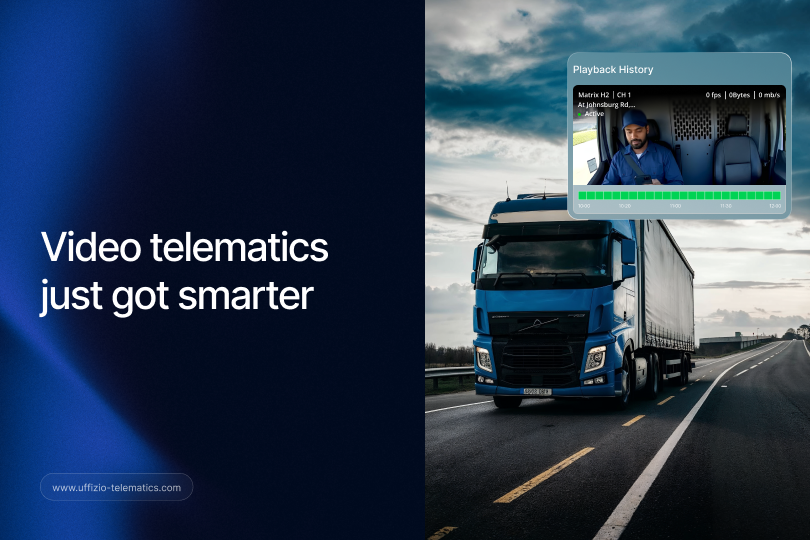
You’re reviewing an accident. One screen shows the route on a map. Another screen shows the video. You’re clicking back and forth, trying to line up what happened, and exactly where it happened.
Sound familiar? For most video telematics users, this has just been the cost of doing business. Not anymore.
Trakzee has merged map and video playback into a single, synced experience. One screen. One story. No more guesswork about timing.
The Old Way of Reviewing an Incident
Video telematics has always given fleet managers something valuable: a recorded view of what happened inside and around a vehicle. Combined with GPS data, it’s been a powerful safety and compliance tool for years.
But there was always a catch. The video lived in one place. The map and vehicle movement lived in another. To fully understand an incident, you needed both, and you needed to line them up yourself.
That meant watching the video, pausing it, checking the map for the vehicle’s position at that exact moment, then going back to the video and repeating the process. For a single incident, this could take several minutes of careful back-and-forth. For a fleet reviewing multiple incidents a week, those minutes added up fast.
And the cost wasn’t just time. Every manual step is a chance to misjudge timing, misread a location, or simply lose patience halfway through and settle for an incomplete picture.
What’s Changed: One Screen, One Story
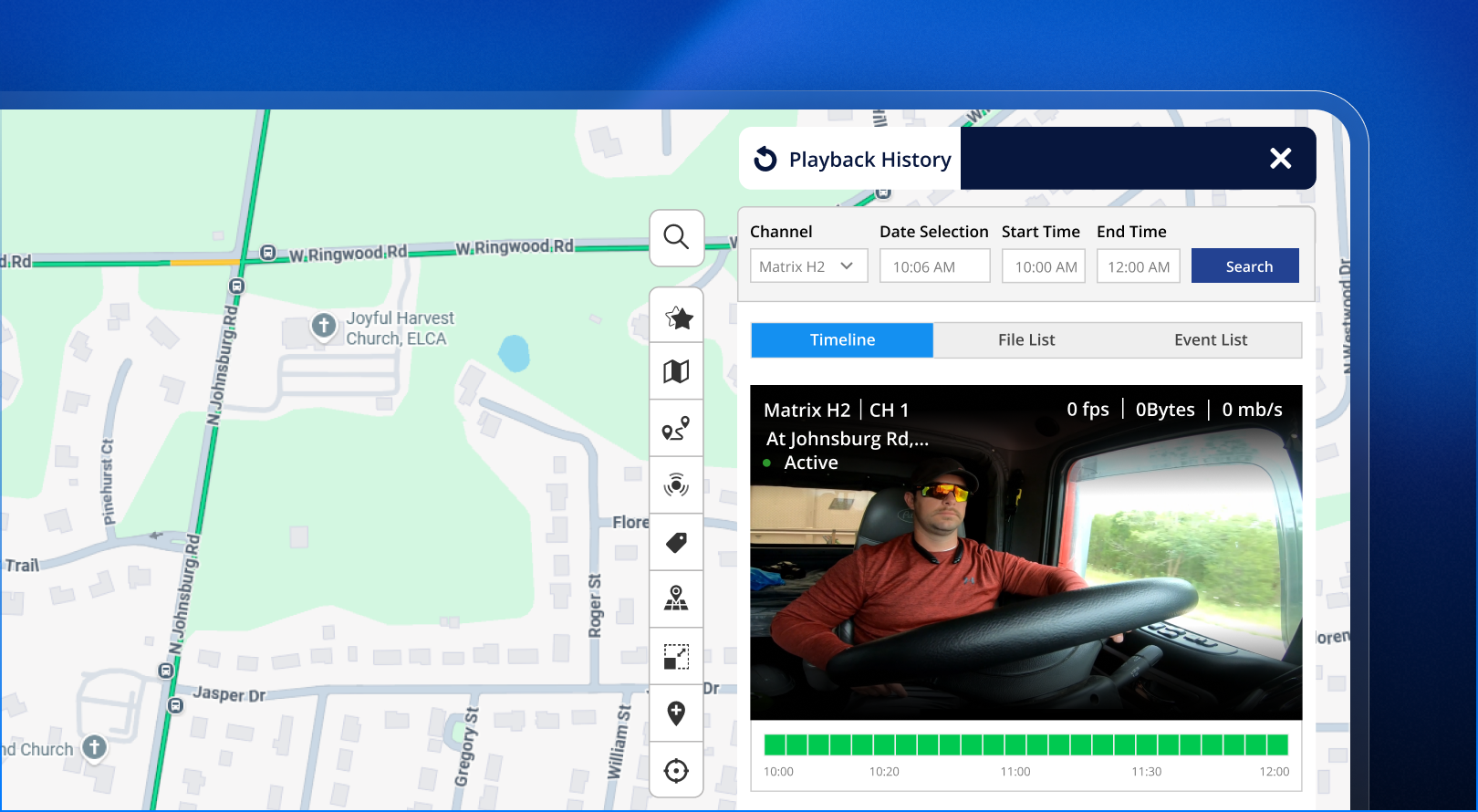
Trakzee’s History Playback Video now works directly alongside the Live Tracking map, in perfect sync.
Start a playback session, and Trakzee automatically loads the vehicle’s historical route and telemetry for that exact time period. As the video plays, the vehicle marker moves along the route on the map in real time. Speed, ignition status, and other telemetry values update right alongside it, matching the video frame for frame.
No more switching tabs. No more mental math to line up a paused video with a location on a separate map. Everything you need is visible, moving together, on one screen.
Start From Wherever Works for You
One detail that makes this genuinely convenient: it doesn’t matter where you begin.
Whether you start playback from the Vehicle tab or from the Video tab, you now get the exact same synced experience either way. Your team doesn’t need to remember a special workflow or train on a new starting point. Whatever habit they already have, it now leads to the same, better result.
See it for yourself. [Open a recent trip in Trakzee’s History Playback] and notice how the map and video now move together automatically, no extra setup required.
A Real Investigation, Before and After
Consider a delivery fleet that had a minor collision reported by a customer last month. Before this update, the investigating manager, Priya, spent close to fifteen minutes on the review. She watched the video once to get a general sense of events, then switched to the map to check the vehicle’s exact position and speed at the moment of impact, then went back to the video to double check her reading, then cross-referenced timestamps by hand to make sure everything lined up.
By the end, she had an answer, but it took real effort and a fair bit of back-and-forth to feel confident in it.
This month, a similar incident came in. Priya opened History Playback Video for the vehicle. The map loaded automatically alongside the footage. As she watched the video, she saw the vehicle marker moving along the exact route in real time, with speed and ignition status updating on screen as the moment unfolded. She had a complete, confirmed picture of the incident in under three minutes, without needing to reconcile two separate views herself.
That’s the real value here. Not a new piece of data. A faster, more confident way to understand the data you already had.
What This Means for Your Investigations
Fast-forward, rewind, pause, and resume the video, and the map moves with you the entire time. There’s no lag, no separate reloading, and no risk of the two views drifting out of sync as you scrub through a recording.
For fleet managers, this means faster incident reviews and more confident conclusions. For compliance teams, it means a clearer, more complete record when an investigation needs to be documented or shared. And for system integrators supporting customers who rely heavily on video telematics, it’s a genuine upgrade to point to, not a cosmetic tweak.
Incidents involving driver behaviour disputes, insurance claims, or customer complaints all benefit from this kind of clarity. When you can show, in one continuous view, exactly where a vehicle was and what was happening on camera at that same second, disputes get resolved faster and with far less back-and-forth.

Where to Find It
Synced playback is now the default experience across Trakzee’s video telematics module. If your fleet already uses History Playback Video, there’s nothing new to set up. The next time you open a playback session, from either the Vehicle tab or the Video tab, you’ll see the map and video working together automatically.
If you haven’t yet added video telematics to your fleet, this is a good moment to consider it. The combination of synced map and video playback is now one of the strongest reasons customers give for adopting video telematics in the first place.
Part of a Bigger Upgrade to Video Telematics
Synced playback isn’t happening in isolation. It’s one of several video-related upgrades Trakzee has rolled out together, all aimed at the same goal: less friction between watching footage and actually understanding it.
Switching between live viewing layouts, say from a Map + Video view to a Matrix view showing multiple cameras at once, no longer restarts your stream. Previously, that switch caused a brief blank screen while the player reloaded. Now, the active session continues without interruption, so live monitoring feels closer to switching channels on a streaming platform than restarting a broadcast.
The Media Gallery has also been upgraded, with a new channel filter for finding footage from a specific camera faster, and support for much larger bulk downloads, well beyond the old 100-file limit. Between synced playback, uninterrupted live viewing, and faster media management, the whole video telematics experience is noticeably smoother from end to end.
For fleets that rely on video for safety coaching, insurance claims, or customer disputes, this combination means less time spent wrestling with the tool and more time spent actually using the footage to make decisions.
Frequently Asked Questions
Do I need to update my hardware or cameras to use this? No. This is a platform-level update to how playback works in Trakzee. Your existing video telematics hardware continues to work as it does today.
Does this work for live streaming as well as historical playback? This update focuses on History Playback Video, syncing recorded footage with map and telemetry data. Live streaming continues to work as before, and switching between live view layouts is also smoother, thanks to a related update.
Will older recorded videos also show synced map data? Yes, as long as the corresponding route and telemetry data was recorded for that vehicle during that time period, synced playback will work for both new and existing recordings.
Can multiple team members review the same synced playback at once? Each user opens their own playback session, so multiple team members can review the same incident independently, at their own pace, without affecting each other’s view.
Is there any extra cost for this feature? No. Synced playback is included as part of Trakzee’s existing video telematics module for customers who already use it.
Key Takeaway
Now, every playback shows not just what happened, but exactly where and when it happened. What used to take multiple screens and several minutes of manual cross-checking now takes one screen and a single, continuous view.