Un operador toma su teléfono para verificar cuántos vehículos están en funcionamiento. Lo desbloquea. Abre la aplicación. Espera a que cargue. Navega hasta el panel de control. Busca el número.
Eso tardó 30 segundos. Sucede docenas de veces al día.
Ahora multiplique eso por cada gerente, cada despachador, cada supervisor de una flota. Es muchísimo tiempo perdido, en algo que debería tomar cero segundos.
El problema de la monitorización dependiente de la aplicación
Los gestores de flotas no pasan todo el día sentados en sus escritorios. Están en los depósitos, atendiendo llamadas, entre reuniones, en constante movimiento.
Cuando consultar el estado de la flota requiere abrir una aplicación y navegar por menús, se genera fricción. Pequeña fricción, sí. Pero fricción constante.
Y cuando algo requiere esfuerzo, la gente revisa con menos frecuencia. Se les escapan cosas. Reaccionan más lentamente.
Las mejores herramientas de monitorización de flotas son las que no interfieren en el trabajo.
¿Qué son los widgets de la pantalla de inicio de Fleet?
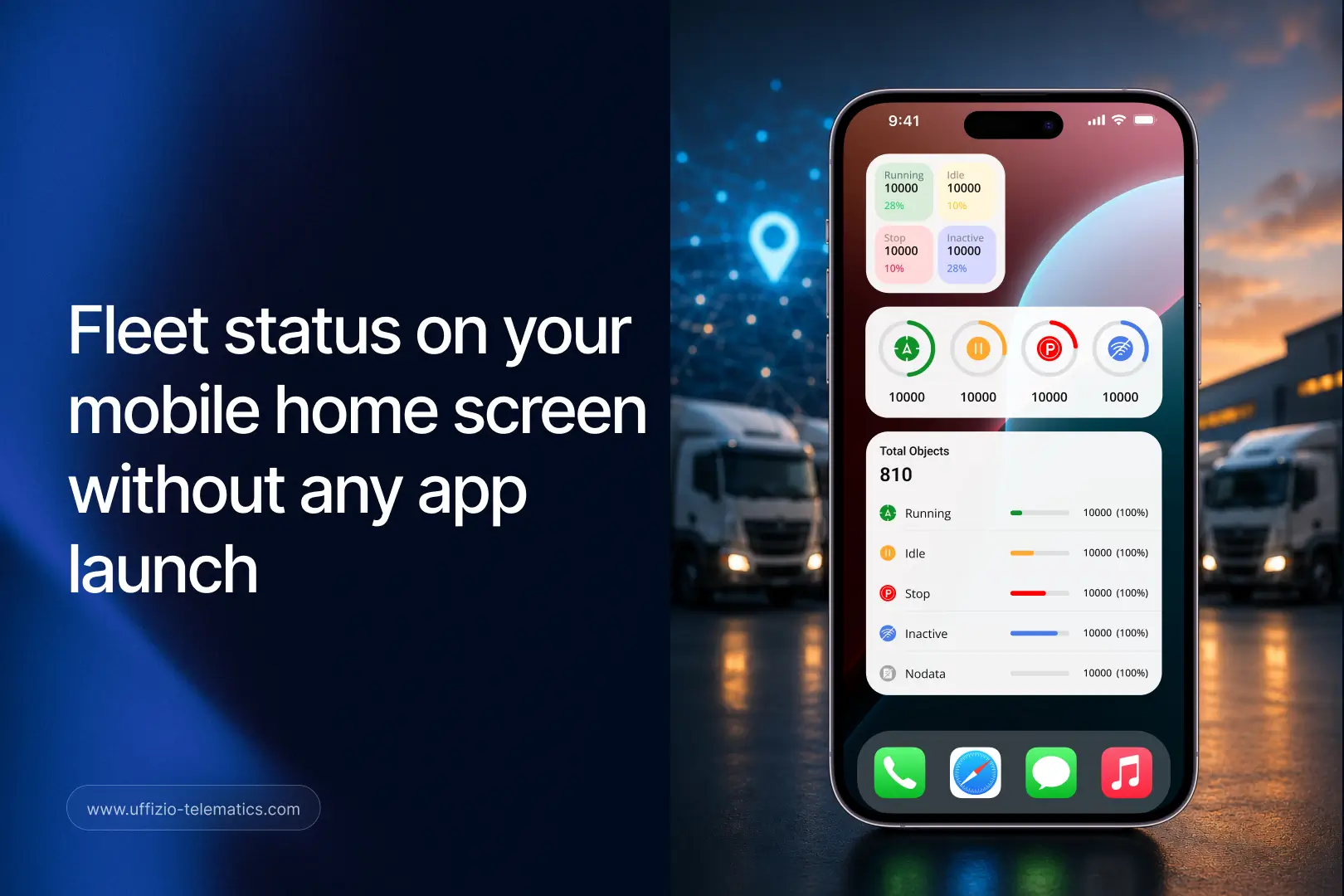
Un widget de pantalla de inicio es un panel de información en tiempo real que se ubica directamente en la pantalla de inicio de tu teléfono móvil. No necesitas abrir ninguna aplicación para verlo.
Imagínalo como un panel de control en tiempo real: siempre visible, siempre actualizado, justo ahí cuando desbloqueas tu teléfono.
Trakzee ahora ofrece widgets nativos para la pantalla de inicio tanto en Android como en iOS. Esto significa que tus clientes pueden ver el estado de su flota en cuanto se enciende la pantalla de su teléfono. Sin toques. Sin tiempos de espera. Sin navegación.
Lo que tus clientes pueden ver sin abrir nada
El widget de la pantalla de inicio de Trakzee muestra el estado de la flota en tiempo real de un vistazo:
- Vehículos en marcha — cuántos están activos actualmente
- Vehículos inactivos — vehículos encendidos pero sin moverse
- Vehículos detenidos — motores apagados, estacionado
- Vehículos inactivos — Sin señal ni actividad reciente
- Descripción general de toda la flota — la imagen completa en una sola vista
Hay varios tamaños de widgets disponibles. Los clientes pueden elegir el que mejor se adapte a su pantalla y a su flujo de trabajo.
Un operador puede echar un vistazo a su teléfono y saber al instante si algo no cuadra. Sin iniciar sesión. Sin clics. Sin demoras.
Por qué esto es importante para los integradores de sistemas
Cuando se diseña una solución de gestión de flotas para un cliente, el objetivo no es solo la funcionalidad, sino también su adopción diaria.
Una solución que se usa sin esfuerzo se utiliza a diario. Una que requiere esfuerzo se revisa una vez por la mañana y luego se olvida.
Los widgets de la pantalla de inicio hacen que Trakzee se integre en la rutina móvil habitual. No es necesario abrir la aplicación para monitorizar la flota. Esto supone un cambio radical en la forma en que el producto se adapta al día a día del usuario.
Esto es lo que significa para usted como integrador:
Proceso de incorporación de clientes más sencillo. El widget es fácil de configurar y resulta útil de inmediato. Los clientes perciben su valor desde el primer día.
Mayor participación diaria. Cuando los datos de la flota están siempre visibles, los clientes los consultan con mayor frecuencia. Una mayor interacción se traduce en un mayor valor obtenido y menos quejas sobre el producto.
Un argumento más sólido en materia de retención de clientes. Una herramienta integrada en el flujo de trabajo móvil diario de un cliente es difícil de reemplazar. Esto genera fidelización.
Diferenciador en tonos. La mayoría de las plataformas de gestión de flotas requieren navegar por la aplicación para realizar comprobaciones básicas de estado. Los widgets eliminan por completo ese paso. Esta es una ventaja clara y demostrable que puede mostrar en una demostración en vivo.

La gestión de flotas centrada en dispositivos móviles ya no es opcional.
Actualmente, los gestores de flotas dirigen las operaciones desde la cabina, el depósito y la carretera, y no solo desde un ordenador en una oficina.
Sus clientes son iguales. Sus operadores no están sentados frente a pantallas. Sus supervisores recorren las instalaciones. Sus gerentes se desplazan entre diferentes lugares.
Los widgets de la pantalla de inicio responden directamente a esa expectativa. Facilitan la monitorización de flotas, haciéndola prácticamente automática. La información está disponible incluso antes de que el usuario decida consultarla.
Eso es lo que realmente significa priorizar los dispositivos móviles. No se trata solo de una aplicación, sino de un sistema de gestión de flotas integrado en el propio teléfono.