Imagine a busy morning at a municipal waste management control room. Collection vehicles are moving across the city. Supervisors are monitoring multiple jobs at once. Some are checking route progress, while others are tracking delayed collections or reviewing job statuses.
Everything is happening in real time. Now imagine a supervisor needs to see additional job information on the screen. Maybe they want to view collection type, assigned crew details, or specific operational data.
Previously, making these changes required leaving the live tracking screen and navigating to separate settings pages. It was not a difficult process, but it took extra time and attention.
And when operations are running live, even a small interruption can slow down decision-making.
This is exactly why SmartWaste introduced a new enhancement that makes job monitoring simpler, faster, and more flexible.
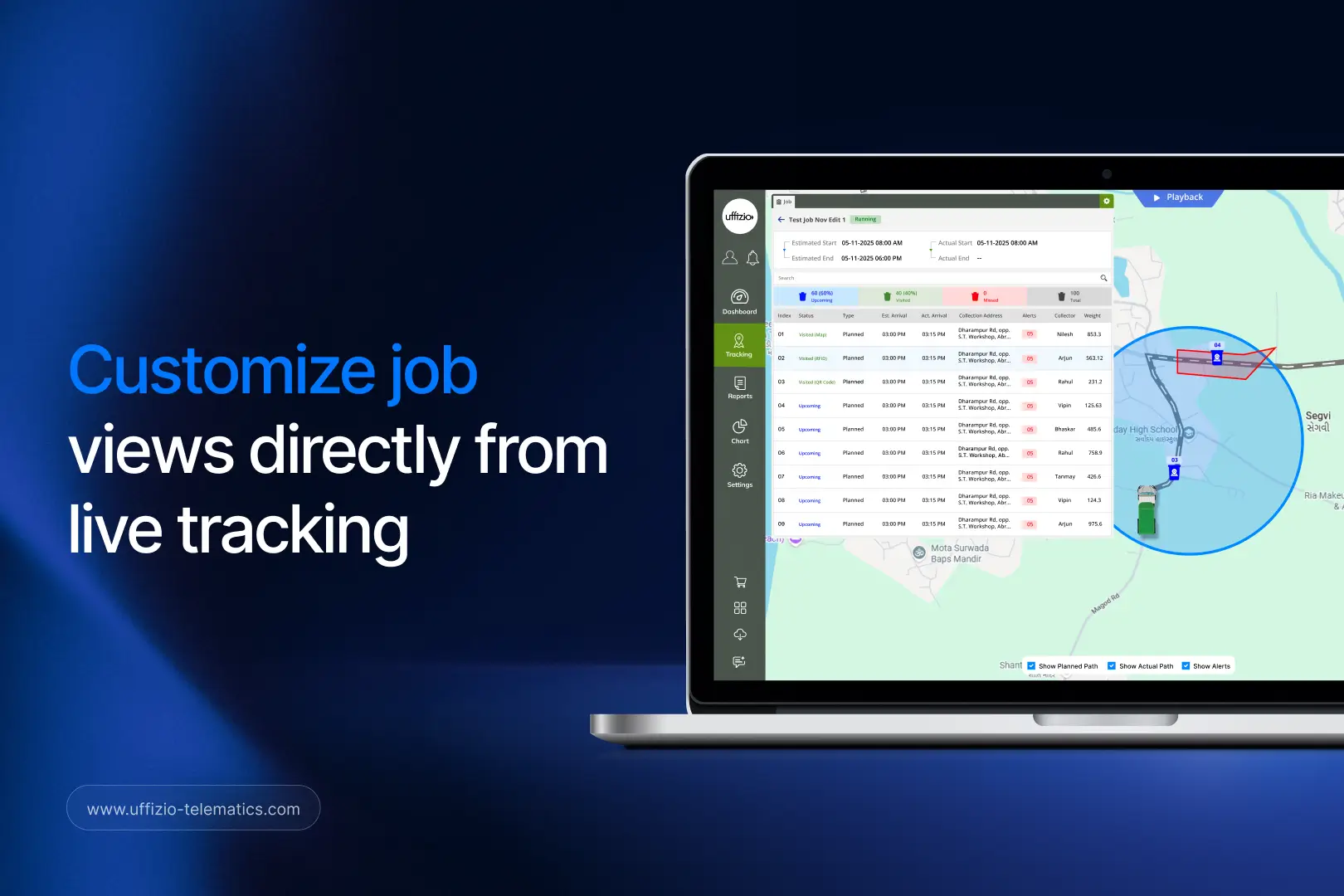
Now supervisors can customize job views directly from the live tracking screen. No switching pages. No unnecessary navigation. Just instant control where it is needed most.
The Challenge with Traditional Job Monitoring
In waste collection operations, visibility is everything. Supervisors depend on accurate and real-time information to make quick decisions. Whether managing residential waste collection, commercial pickups, recycling routes, or city-wide sanitation services, having the right data on the screen matters.
However, different users often need different information.
For example:
- A control room operator may want to focus on job status and vehicle location.
- An operations manager may need additional service-related details.
- A municipality supervisor may prefer to see collection progress and completion rates.
- A system integrator may need access to more technical job information.
The problem is that one fixed screen layout cannot satisfy everyone.
Users often need the flexibility to adjust their view based on their role, responsibilities, and operational requirements.
That is where the latest SmartWaste enhancement comes into play.
Introducing Customizable Job Views Directly from Live Tracking
SmartWaste now includes a dedicated settings option within the live tracking job detail screen.
This means users can make viewing adjustments instantly while monitoring operations.
Instead of leaving the tracking interface and navigating through multiple screens, supervisors can simply access the settings button and customize the display in real time.
The process is quick, simple, and designed for operational efficiency.
What Has Changed?
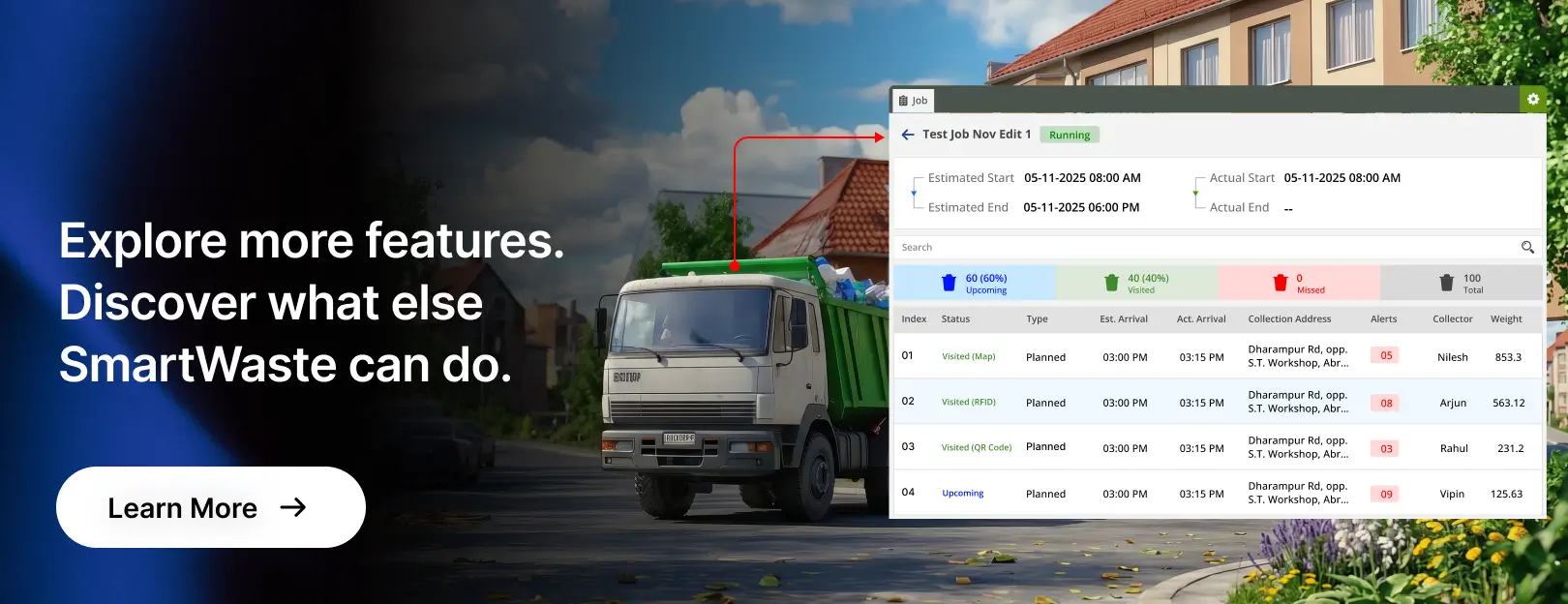
A new settings button has been added directly to the live tracking job detail screen.
Using this feature, supervisors can:
- Customize visible fields
- Adjust viewing preferences
- Configure screen layouts instantly
- Personalize job information displays
- Make changes without leaving the current page
Everything happens within the same monitoring environment. The result is a smoother and more user-friendly experience.
A Small Enhancement That Creates a Big Difference
At first glance, this may seem like a small feature update. But in real-world waste collection operations, small improvements often deliver the biggest impact.
Let’s look at a practical example.
A city waste management team is monitoring hundreds of collection jobs throughout the day.
An unexpected issue occurs in one service area. The supervisor needs additional information to understand the situation.
With traditional workflows, the supervisor would need to:
- Leave the live tracking screen.
- Open configuration settings.
- Modify the required fields.
- Save changes.
- Return to the monitoring screen.
Even if the process only takes a few minutes, it interrupts focus.
With the new SmartWaste enhancement, the supervisor simply clicks the settings button and adjusts the view immediately.
The information becomes available without disrupting ongoing monitoring activities.
This creates a faster and more efficient workflow.
Benefits for Municipalities and Waste Management Companies
Municipal waste operations are becoming increasingly data-driven. Teams need access to relevant information without unnecessary complexity.
This enhancement helps municipalities by:
Faster Decision-Making
When information can be adjusted instantly, supervisors spend less time navigating the software and more time managing operations.
This helps improve response times during live situations.
Improved Operational Visibility
Different teams can configure screens according to their specific responsibilities.
Users see what matters most to them.
Better User Experience
Software should adapt to users—not the other way around.
This enhancement provides a more personalized experience, making daily operations easier to manage.
Reduced Operational Delays
Fewer clicks and fewer navigation steps mean faster access to critical information.
Over time, these small efficiencies contribute to smoother operations.
Why System Integrators Will Appreciate This Enhancement
System integrators play a key role in delivering successful waste management technology solutions. Their customers often have unique operational requirements. Some organizations want detailed job information. Others prefer simplified dashboards.
The ability to customize views directly from live tracking provides greater flexibility without requiring complex configurations.
For system integrators, this offers several advantages:
- Improved customer satisfaction
- More adaptable software deployments
- Better user adoption
- Easier customization for different operational environments
- Enhanced value during software demonstrations
The feature allows organizations to tailor their experience based on actual operational needs.

Supporting Smarter Waste Management Operations
Modern waste management is no longer just about collecting waste.
It is about managing resources efficiently, improving service quality, and making informed decisions using real-time data.
Technology plays a major role in achieving these goals. Every enhancement that simplifies workflows contributes to a more productive operation.
The new job view customization feature is a perfect example. It removes unnecessary steps, reduces interruptions, and gives supervisors more control over how they interact with operational data.
Instead of forcing users to work around the software, the software adapts to the user.
That flexibility becomes especially valuable in fast-moving environments where quick decisions can impact service quality and operational efficiency.
The Future of User-Friendly Waste Collection Software
As waste management operations continue to evolve, software must evolve as well.
Organizations expect systems that are powerful yet easy to use.
They want tools that support real-world workflows rather than adding complexity.
The latest SmartWaste enhancement reflects this approach.
By allowing supervisors to customize job views directly from live tracking, SmartWaste delivers a more intuitive and efficient monitoring experience.
It may seem like a simple change, but its impact is significant.
Less navigation.
Faster adjustments.
Better visibility.
More control.
And ultimately, a smarter way to manage waste collection operations.
Discover SmartWaste
SmartWaste continues to enhance waste collection software with features designed for real operational challenges. From live vehicle tracking and route monitoring to intelligent job management, SmartWaste helps municipalities, waste management companies, and system integrators improve efficiency across every stage of waste collection operations.