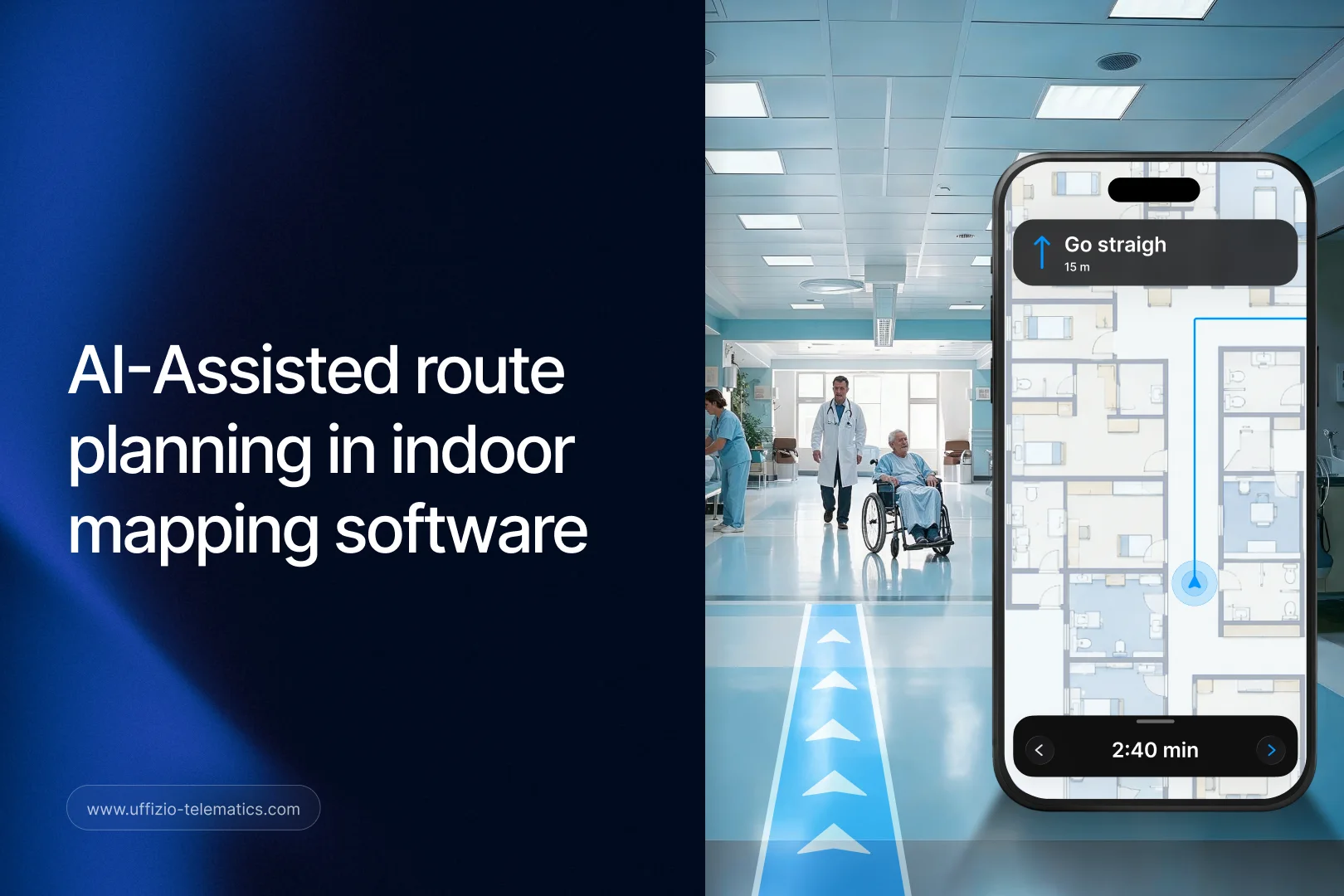
Setting up an indoor map used to mean drawing every route by hand. Someone had to walk the space, figure out the shortest and safest paths between points, and manually plot each one into the system. For large buildings like malls, hospitals, or airports, that process could take days.
Manual route planning also tends to leave gaps. A person mapping a space might miss a shortcut, misjudge a distance, or simply run out of time before every path is drawn to the same standard.
Uffizio has been rethinking parts of this process inside Gridzee, its indoor mapping platform. One of the newest additions tackles route planning directly, using AI to speed up the parts that used to take the longest.
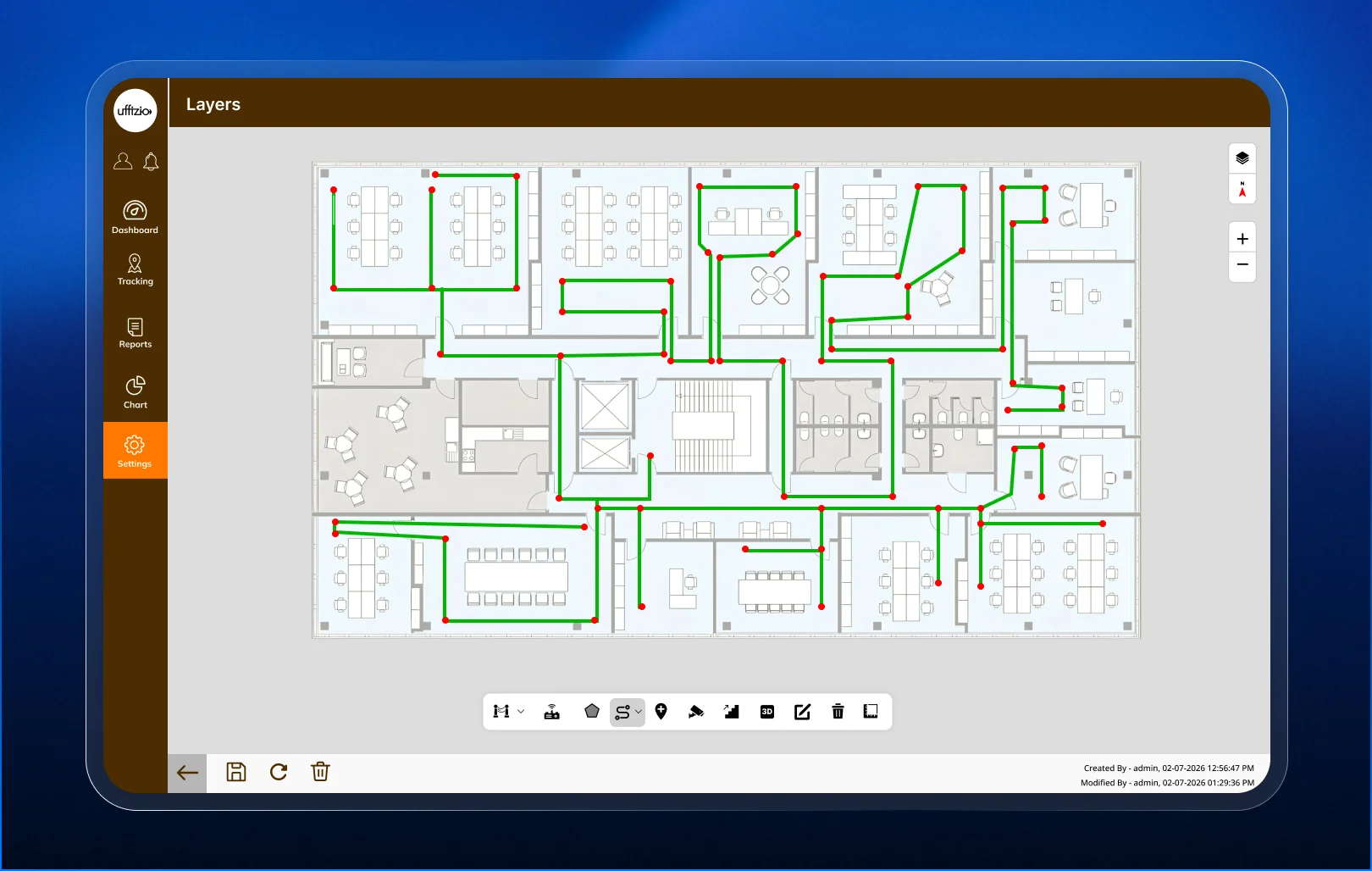
Uffizio Gridzee’s AI route suggestions automatically recommend optimized paths while a user is setting up an indoor map, with an option to preview and edit before saving. It doesn’t remove the person from the process. It just gives them a strong starting point instead of a blank map.
For system integrators handling indoor mapping projects, and for resellers pitching Gridzee to venue owners, this is a feature that directly affects project timelines, which makes it an easy value point to raise early.
The Problem With Manual Route Planning
Indoor maps are only useful if the routes inside them are accurate. A shopper trying to find a store, or a patient trying to find a department, relies on the map showing a real, walkable path, not an approximation.
Getting that right by hand takes time and local knowledge of the space. Someone has to understand where walls, stairs, and restricted areas are, and plan routes that account for all of it.
This becomes a bigger problem at scale. A single-floor retail store is manageable. A multi-floor hospital or a large airport terminal is a much bigger undertaking, and the time it takes to map manually grows with the size and complexity of the building.
Delays in this setup phase push back the entire project timeline. For a system integrator working on a fixed schedule, slow route planning can turn a straightforward mapping job into a bottleneck.
How AI Route Suggestions Work in Gridzee
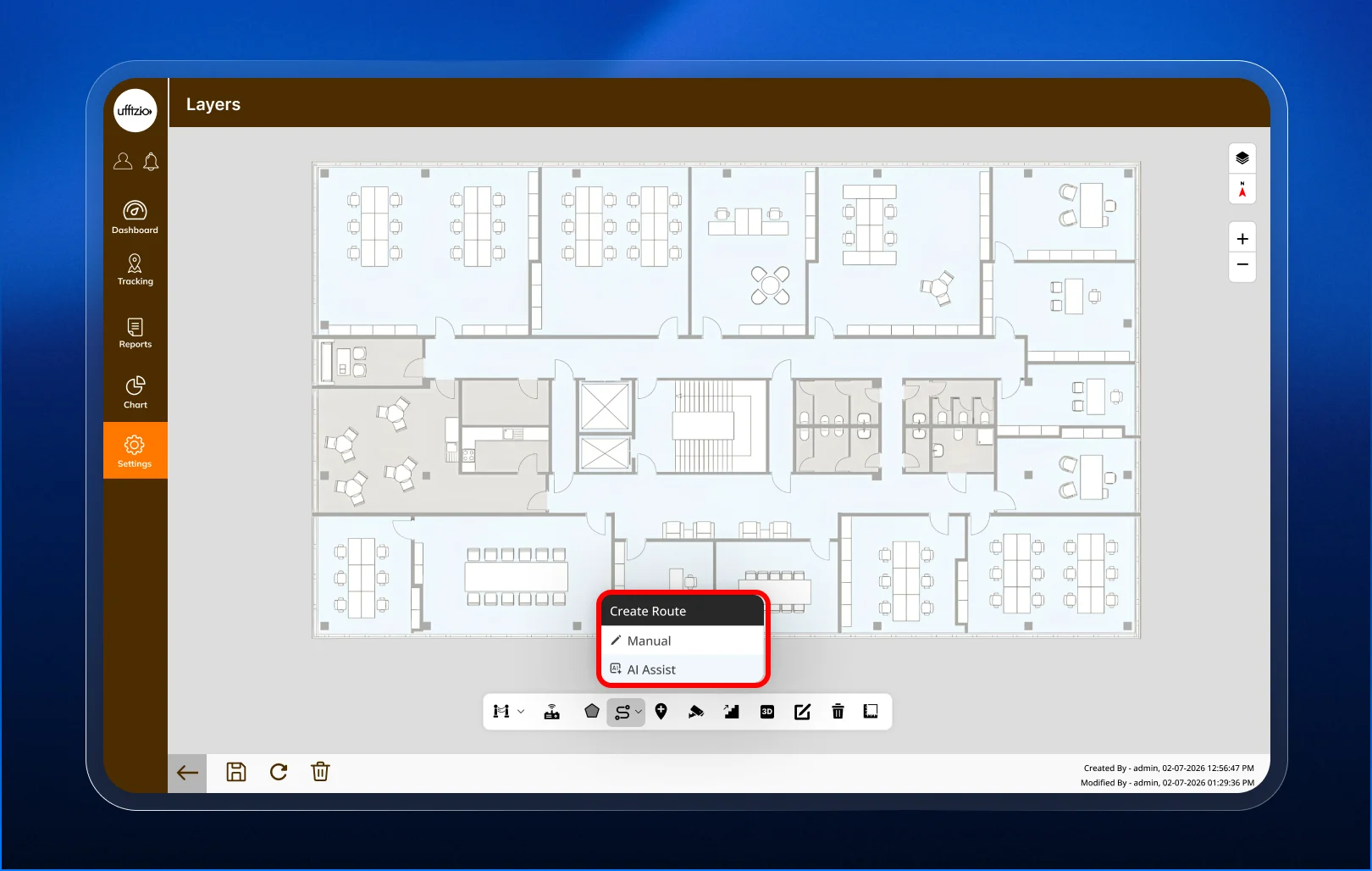
While a user is configuring an indoor map in Gridzee, the system analyzes the layout and automatically suggests optimized routes between key points. This happens as part of the normal setup flow, not as a separate step.
The suggested routes account for the structure of the space, so they follow walkable paths rather than straight lines through walls or restricted zones. This gives the person setting up the map a realistic starting point instead of an empty canvas.
Importantly, these suggestions aren’t final. The user can preview each suggested route and make changes before saving it. If a suggested path doesn’t account for something specific to that building, like a temporary closure or a preferred accessible route, it can be adjusted on the spot.
This keeps a person in control of the final result, while removing most of the repetitive, time-consuming work of drawing every route from scratch.
Why This Matters for Project Timelines
For system integrators, time spent on manual route planning is time not spent on other parts of a deployment, like configuring POIs, testing navigation, or training the client’s team.
AI route suggestions cut down the time-heavy part of the setup process significantly. Instead of starting from zero on every route, a user starts from a reasonable draft and spends their time reviewing and refining it.
This is especially valuable on larger projects, where the number of routes needed can be high. A faster setup phase means a shorter overall project timeline, which matters both for client satisfaction and for an integrator’s ability to take on more projects without stretching their team thin.
It also reduces the skill barrier for getting a good result. A less experienced team member can rely on the AI suggestions as a foundation, rather than needing deep familiarity with the space to plan routes from scratch.
How This Compares to Fully Manual Mapping Tools
Most indoor mapping software on the market still relies entirely on manual route drawing. The person doing the setup opens a blank floor plan and plots every path themselves, point by point.
That approach isn’t wrong, but it’s slow, and it puts the full weight of route quality on one person’s judgment. Two different people mapping the same building by hand can easily produce two different sets of routes, some better than others.
AI route suggestions change that starting point. Instead of a blank floor plan, the person setting up the map begins with a consistent, structure-aware draft. They’re reviewing and refining, not building from nothing.
This shift matters most when comparing Gridzee to competing tools during a sales conversation. It’s a concrete difference a system integrator can demonstrate side by side, rather than a claim that has to be taken on faith.
What This Means for the End-User Experience
Better route planning doesn’t just help the integrator setting up the map. It also improves the experience for the people using the map later, whether that’s shoppers, patients, or airport passengers.
Routes that are planned well, consistently, and without missed shortcuts lead to more accurate navigation. A visitor following turn-by-turn directions is less likely to hit a dead end or get routed the long way around.
Since AI suggestions are generated using a consistent method across the whole space, the resulting routes tend to be more uniform in quality than a fully manual process, where quality can vary depending on who mapped which section.
What This Means for Integrators and Resellers
For system integrators, this feature fits directly into the existing Gridzee setup workflow. There’s no separate tool to learn or extra step to manage. AI suggestions simply appear as part of the map configuration process.
This makes it easy to demonstrate during a sales conversation or a proof-of-concept. Showing a client how quickly a route can go from suggestion to finished map is a strong, visual way to make the case for Gridzee over a slower, manual alternative.
For resellers, AI is a feature buyers are actively asking about right now, across almost every software category. Gridzee’s AI route suggestions give resellers a specific, practical answer to that interest, rather than a vague claim about “AI-powered” software with nothing concrete behind it.
It’s also a useful way to open a conversation about the rest of Gridzee’s capabilities, including live tracking intelligence and enhanced POI profiles, once a client is interested in the AI angle.

Frequently Asked Questions
Does AI route suggestions replace manual route planning entirely? No. It generates a starting point automatically, but users can still preview, edit, or replace any suggested route before saving.
What kind of buildings benefit most from this feature? Larger or more complex spaces, like malls, hospitals, and airports, tend to see the biggest time savings, since manual route planning takes longer as building size and complexity grow.
Does this feature require any extra setup or hardware? No. It’s built into the standard Gridzee map configuration workflow, so no additional setup is needed beyond normal indoor map creation.
Can a user reject an AI-suggested route completely? Yes. Suggested routes can be edited or discarded if they don’t match the specific needs of the space.
How does this affect the accuracy of the final indoor map? Since suggestions are generated consistently across the whole space, they often lead to more uniform route quality than fully manual mapping.
Key Takeaway
Uffizio Gridzee’s AI route suggestions take the slowest, most repetitive part of indoor map setup and turn it into a fast, editable first draft. For system integrators, that means quicker project timelines. For resellers, it’s a concrete, specific example of AI adding real value, not just a marketing label.