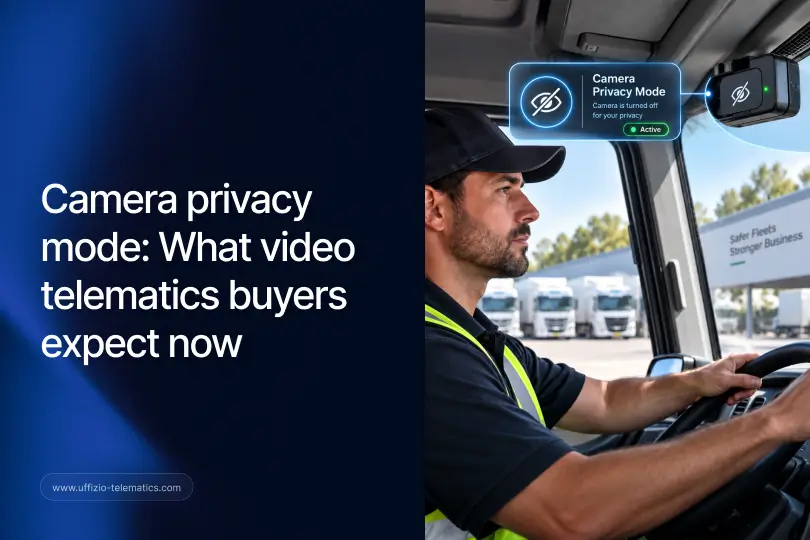
Bir filo sahibi, araç içi kameralar konusunda heyecanlı. Ardından şoförü haklı bir soru soruyor: "Öğle yemeği molamda beni kim izleyebilecek?"
Bu tek soru, fiyat itirazlarından daha fazla video telematik anlaşmasını sekteye uğratıyor. Alıcılar giderek video kalitesinden önce kamera gizliliği hakkında soru soruyor ve cevap net değilse anlaşma ilerlemiyor.
Araç İçi Kameralar Neden Gizlilik Sorularını Gündeme Getiriyor?
Gün boyu sürücüye doğrultulmuş bir kamera, haritadaki bir GPS noktasından farklı bir şeydir. GPS size aracın nerede olduğunu söyler. Kamera ise bir kişinin ne yaptığını, ne söylediğini ve yanında kimin oturduğunu gösterebilir.
Sürücüler de, onları yöneten kişiler de bunu fark ediyor. Yaygın endişeler şunlardır:
- Sadece iş sürüşü sırasında değil, molalar sırasında veya kişisel duraklamalar sırasında da kaydediliyor.
- Görüntüler gerekenden çok daha fazla kişi tarafından izleniyor.
- Belirli anları yasak bölge olarak işaretlemenin net bir yolu yok.
Bu endişelerin hiçbiri mantıksız değil. Ve düzenlemeye tabi sektörlerde (belediye, sağlık hizmetleri, devlet sözleşmeleri) faaliyet gösteren filo sahipleri için bu konuda hata yapmak sadece sürücülerin şikayeti değil, aynı zamanda uyumluluk riskidir.
Trakzee'nin Kamera Gizlilik Modu Nasıl Çalışır?
Uffizio, bu soruna doğrudan bir çözüm olarak Trakzee'nin Streamax cihazlarıyla video telematik entegrasyonunu geliştirdi. Bir kamera kanalı özel olarak işaretlendiğinde, Trakzee erişimi otomatik olarak kısıtlar; her seferinde manuel kurulum gerekmez.
Gizlilik Modu açıldığında şunlar gerçekleşir:
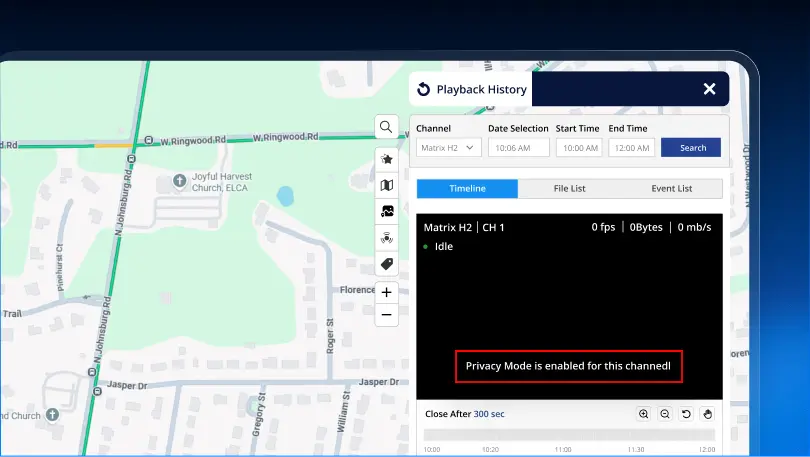
- Canlı yayın, oynatma ve anlık görüntü alma işlemlerinin tümü kısıtlıdır. Bu kanal için, Gizlilik Modu etkinleştirildiği anda otomatik olarak.
- Açık bir görsel durum göstergesi, cihazın açık olduğunu gösterir. — Kırmızı bir "Gizlilik Modu Açık" göstergesi sayesinde, bir kanalın korunup korunmadığı konusunda hiçbir belirsizlik kalmaz.
- Kullanılmayan cihazlar da sorunsuz bir şekilde bertaraf edilir.Kafa karıştırıcı boş bir ekran yerine, sade bir "Cihaz etkin değil" mesajı gösteriyor.
Kimsenin her seferinde bir kanalı manuel olarak kilitlemeyi hatırlamasına gerek yok. Trakzee, cihazdaki Gizlilik Modu durumunu otomatik olarak algılar ve kısıtlamayı her seferinde otomatik olarak uygular.
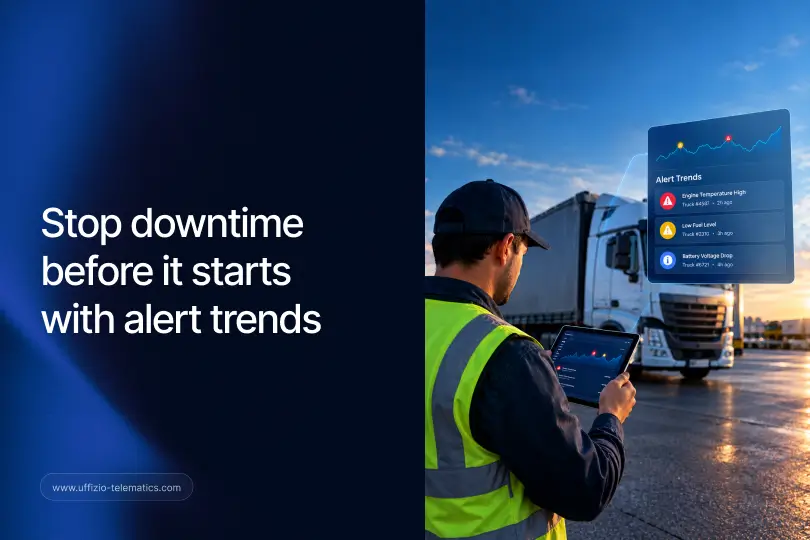
Bunun Trakzee'nin filo denetiminin geri kalanıyla nasıl örtüştüğünü merak ediyor musunuz? İşte cevabı. Trakzee'nin uyarı trendlerinin filoların arıza sürelerini azaltmasına nasıl yardımcı olduğu.
Alıcıların Herhangi Bir Video Telematik Satıcısına Sorması Gerekenler
Video telematik sistemleri satıyorsanız, alıcıların eskisine göre daha keskin gizlilik soruları sormasını bekleyin. Bunların önüne geçmekte fayda var:
- “Belirli kamera kanalları özel olarak işaretlenebilir mi?” Bir araçtaki her kameranın aynı erişim kurallarına ihtiyacı yoktur.
- “Gizlilik kısıtlaması otomatik olarak mı gerçekleşiyor, yoksa birinin bunu her seferinde ayarlamayı hatırlaması mı gerekiyor?” Manuel adımlar atlanır. Otomatik uygulama ise atlanmaz.
- “Bir kanalın koruma altında olduğu görsel olarak açıkça anlaşılıyor mu?” Kimsenin göremediği gizli bir ayar, ne sürücü ne de denetçi için güven verici değildir.
- “Bir kamera çevrimdışı kalırsa ne olur? Kurcalama gibi mi görünür, yoksa açıkça etiketlenmiş midir?” Bu durum hem güven hem de sorun giderme açısından önemlidir.
Dört sorunun tamamına da "evet" yanıtı verebilmek, özellikle gizliliğe önem veren müşteriler söz konusu olduğunda, gerçek bir fark yaratır.
Bu, sadece bir kutucuğu işaretlemek değil, anlaşmaları sonuçlandırmaya nasıl yardımcı olur?
Gizlilik yönetimi sadece teknik bir özellik değil, aynı zamanda bir güven sinyalidir. Bir filo sahibi, tedarikçinin sürücü gizliliğini önceden düşünmüş olduğunu gördüğünde, tüm ekibine kamera erişimini verme konusunda çok daha güvenli hisseder.
Belediye sözleşmeleri, sağlık hizmetleri araç filoları ve katı uyumluluk gereksinimleri olan tüm müşteriler için bu, aksi takdirde benzer olan iki platform arasında belirleyici faktör olabilir. Ayrıca, bir demoda canlı olarak gösterilmesi kolay ve somut bir şeydir; Gizlilik Modunu açın ve kısıtlama anında ve görünür hale gelir.
Özetle
Video telematik sistemlerinde kamera gizliliği eskiden ikinci planda kalırdı. Artık öyle değil. Uffizio'nun Trakzee sistemi, net görsel durum bilgisi ve manuel kurulum gerektirmeden bunu otomatik olarak hallediyor; bu da yaygın bir alıcı itirazını güvenilir bir cevaba dönüştürüyor.
SSS
Kamera kanalları için ayrı ayrı gizlilik modu ayarlanabilir mi?
Evet. Gizlilik Modu kanal düzeyinde uygulanır, bu nedenle aynı araçtaki diğer kameraları etkilemeden belirli kameraların kullanımı kısıtlanabilir.
Her seferinde erişimi manuel olarak kısıtlamak gerekiyor mu?
Hayır. Trakzee, bir kanalın özel olarak işaretlendiğini otomatik olarak algılar ve ek adımlar gerektirmeden canlı yayınları, oynatmayı ve anlık görüntüleri kısıtlar.
Bir kanalın Gizlilik Modunda olup olmadığını nasıl anlarsınız?
Kanalda net bir şekilde kırmızı renkte "Gizlilik Modu Açık" göstergesi yer alıyor, bu nedenle durumu hakkında hiçbir şüphe yok.
Kamera cihazı çevrimdışı kalırsa ne olur?
Ekranda sade bir "Cihaz etkin değil" mesajı gösteriliyor, bu da gizlilik kısıtlamasından veya teknik bir arızadan açıkça ayırt edilebiliyor.